Nextcloud User Migration App
Nextcloud User Migration
A notable feature of Nextcloud is that there is no vendor lock-in. This means you have the option to migrate your Nextcloud to another provider. With the ‘User Migration’ app, you can export all files, profile settings, calendars, and contacts and import them into a new Nextcloud instance. In this article, you‘ll learn how this works and what to keep in mind during the process.
Installation
To install, log in to your Nextcloud with an administrator account, click on the round icon in the top right, and then on “+Apps“.
In the search, you can simply enter “User Migration“ and then click on “Download and enable“.
A new menu item “User Migration“ now appears in the settings.

Export
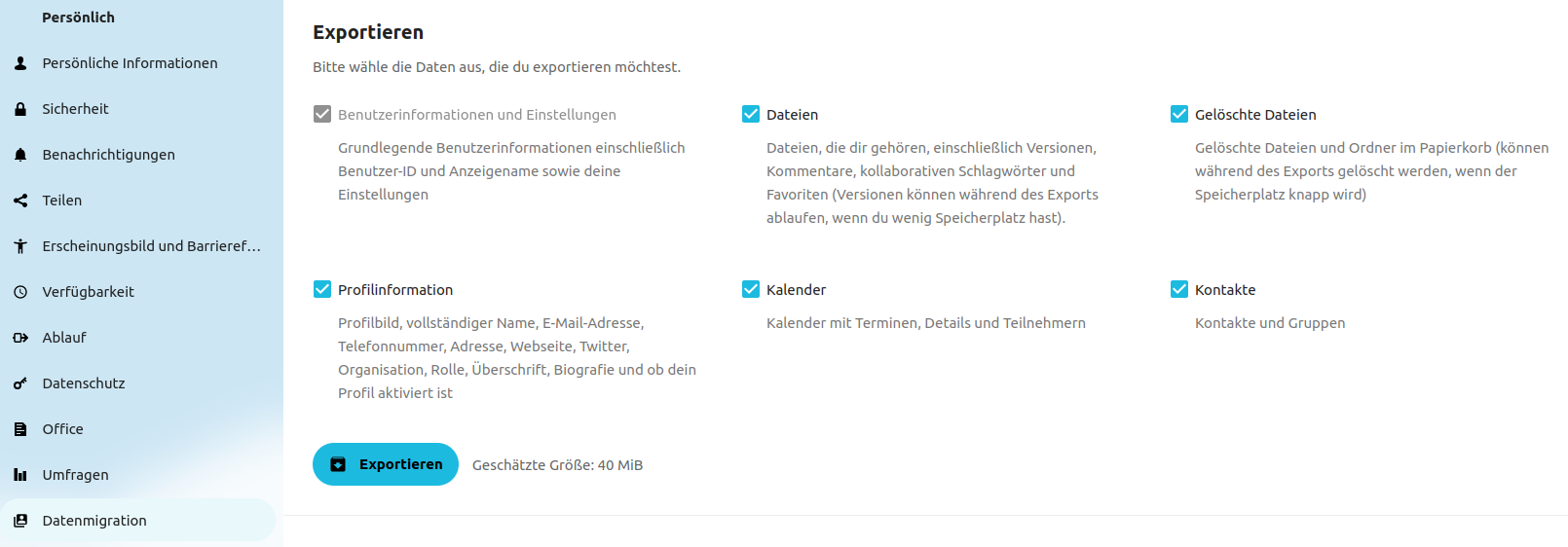
To export your data, click on ‘Data Migration’ in the settings. There you can select exactly what should be exported. By clicking on ‘Export’, the selected information/data will be exported to a file.
If you have a lot of data, we recommend only exporting profile information, contacts, and calendars. For data transfer, you can use the External Storage App. We explain how this works in this article: Switching from one Nextcloud instance to another
Import
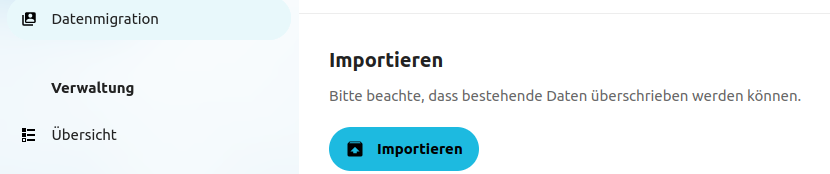
If you want to import your information/data into the new Nextcloud, you can install the ‘User Migration’ app again. This time, click on ‘Import’ and select the export file from your old Nextcloud. For this step, the export file from your old Nextcloud must be transferred to the new Nextcloud. Please note that you will temporarily need double the storage space, as you will have both the export file and the unpacked data.
Open Source Software at PathConnect
Simply select and get started. We customize the software exactly to your needs, take care of maintenance, and provide you with personal support. Our offer includes a variety of open source solutions that can be perfectly tailored to your requirements. Enjoy the comfort of an all-around service that includes installation, customizations, and updates, so you can focus entirely on your projects.
Related Articles

Nextcloud Kalender – Die wichtigsten Funktionen im Überblick
Der Nextcloud-Kalender ermöglicht dir eine einfache und datenschutzfreundliche Organisation von Terminen, Meetings und Ressourcen. Im Folgenden stellen wir dir die zentralen Funktionen vor, die deine tägliche Zusammenarbeit erleichtern.

Nextcloud Whiteboard - Creative Work in the Cloud
Whether brainstorming in a team, sketching new ideas, or creating an overview - with Nextcloud Whiteboard you can work creatively in the cloud. This article introduces the app and shows its most important features.
Paperless-ngx: OAuth2 für Microsoft 365 einrichten
Paperless-ngx kann Anhänge aus E-Mail-Postfächern automatisch verarbeiten. Damit dies auch mit einem Microsoft 365 Konto funktioniert, müssen einige Einstellungen vorgenommen werden. In diesem Artikel zeigen wir, was zu tun ist, damit die Anbindung funktioniert.
